ArcusX Loader for UnlockTool
ArcusX Loader for UnlockTool v2026.11.23.0 Latest Version Download (Tested 100%)
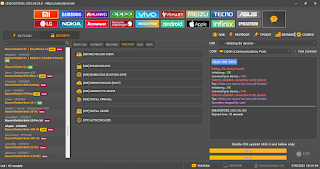
ArcusX Loader is a companion tool that lets you run UnlockTool without dealing with activation blocks. I tested it with UnlockTool version 2026.11.23.0 on my Windows PC. This build adds Samsung MTK V6 support for MT6789 and MT6878 chips, plus new iPad 9th Gen bypass options. The loader is made by Arcus X Project, while UnlockTool itself comes from the official unlocktool.net team. After installing both and running the connection fix once, the tool opened and detected my test devices without issues.

Features
Runs UnlockTool through the ArcusX Loader with pre-filled login details
Samsung MTK V6 FRP removal via Download Mode (CTRL 1 & CTRL 0)
Supports MT6789 and MT6878 Samsung chipsets
iPad 9th Gen (2021) Ramdisk support
iPad Hello Screen Bypass
iPad Passcode Bypass
Faster startup with the new installer-based UnlockTool build
Works alongside UnlockTool's core functions like FRP erase, factory reset, and firmware flashing
What's New (Changelog)
UnlockTool switched to a setup executable, cutting startup time by more than 50%
Added Samsung MTK V6 support for MT6789 and MT6878
Added FRP removal through Download Mode on Samsung Odin Mode tab
New supported Samsung models include Galaxy A06, A07, A08, A15, A16, A17 4G, F07, M07, and Tab A9
Fixed MT6789 issues on certain device models
Improved compatibility and success rate across supported MT6789 devices
Added iPad 9th Gen (2021) support on iOS 26 to 27.x.x
iPad features: Ramdisk, Hello Screen Bypass, and Passcode Bypass
How to Install
-Download UnlockTool version 2026.11.23.0 and install it, but do not open it yet.
-Download the ArcusX Loader package and extract it to your desktop.
-Run ArcusX_Setup.exe as Administrator. Turn off antivirus temporarily during this step.
-Make sure the Hosts file is created in the correct location. If it is missing, create it manually.
-Run the "Fix UnlockTool Connection" shortcut one time only.
-Run "Arcus X Loader" as Administrator.
-Use the username and password shown inside the loader to sign in.
-UnlockTool will open and be ready to use.


Comments
Post a Comment