Eft Bypass iphone A12-A13
Usage Flow
1. Connect the RP2350 Hardware Pwner to the PC.
2. Put the iPhone or iPad into DFU Mode.
3. Connect the device to the RP2350 USB-A port.
4. Reconnect the RP2350 board to start the pwn process.
5. Connect the device to PC with a normal cable (Device Pwned).
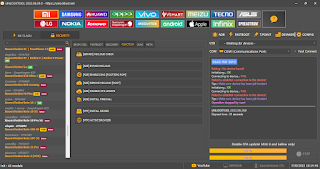
6. Open EFT Pro → Apple › Ramdisk › OneClick › Boot Passcode/Hello iOS 11.x – 26.x One Click → press Start.
7. Follow the EFT Pro log steps guide.
8. Select Backup to save the Ramdisk-mode data.
9. Erase Device.
10. Select Restore to restore a previously created backup.
A12+ Bypass Supported iOS :
XR / XS / XS MAX (UP To iOS 18.7.10) ✅ Passcode / Hello
11 / 11 Pro / 11 Pro Max (UP To iOS 26.6.1) ✅ Passcode / Hello
12 To 17 Pro Max (26.0.1, 26.1 and 26.2 beta) ONLY Hello ✅
(PassCode / Disabled / Bypassed) Device A14+ ❌ Not Supported ❌
iPhone SE 2020 iOS 26.6Bypass iCloud Passcode With Signal
Bypass iCloud Hello Mode (A12-A13) No Signal by EFT Pro


Comments
Post a Comment