Xiaomi Android 15 FRP Unlock Tool
What is the Xiaomi Android 15 FRP Unlock Tool?
Before we get to the "how," let's understand the "what." The Xiaomi Android 15 FRP Unlock Tool is a specialized software utility created for Xiaomi, Redmi, and POCO devices running the latest Android 15 firmware (often based on Xiaomi’s new HyperOS).
FRP stands for Factory Reset Protection. It's a security feature introduced by Google with Android Lollipop. If you reset a phone via the recovery menu without removing the Google account first, the phone locks itself upon reboot. It essentially bricks the phone until the original credentials are entered.
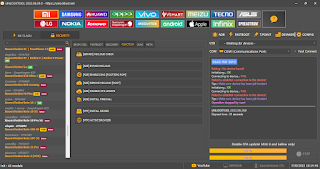
This tool acts as a key to bypass that lock. Specifically, it uses the ADB (Android Debug Bridge) protocol to communicate with your phone's system. It sends specific commands to the device to either disable the FRP check temporarily or grant you access to the settings so you can add a new Google account. The "Temp Unlock" feature is particularly useful because it allows you to boot the device without fully wiping the data or permanently altering the system partition, making it a safer method for beginners.


Key Features of the Tool
Why should you use this specific tool over others available on the internet? The market is flooded with shady software, but this utility stands out for several reasons. Here are the key features:
Android 15 & HyperOS Support: Most older tools fail on the latest security patches. This tool is updated specifically for Android 15 and the new HyperOS interface.
ADB Bypass Capability: It utilizes ADB commands to bypass the Google account verification screen efficiently.
Temporary Unlock: The "Temp Unlock" feature lets you unlock the bootloader or FRP lock temporarily for one boot cycle, which is perfect for troubleshooting or data recovery.
No Box Required: Unlike professional tools like Chimera or Z3X, this software doesn't require any hardware dongle or box. It runs entirely on your Windows PC.
User-Friendly Interface: The developers have simplified the interface. You don’t need to be a coding genius; usually, it’s just a "Click to Bypass" operation.
Multi-Device Compatibility: It works across a wide range of devices, including the Xiaomi 14 series, Redmi Note 13 series, and POCO F5/X6.


Comments
Post a Comment