Samsung Galaxy A17 4G/5G FRP Bypass Android 16 halabtech frp tool
In this video, I’ll show you how to bypass the Google Account Lock (FRP) on the Samsung Galaxy A17 5G using the latest PC Method.
This tutorial is fully updated for One UI 8.0 and Android 16 (2026 security patches).
If you forgot your Google account details after a factory reset and your phone is stuck on “Verify Your Account”, follow this guide to unlock your device quickly, safely, and professionally.
🛠 Technical Requirements
📱 Device: Samsung Galaxy A17 5G (All variants)
⚙️ System: One UI 8.0 / Android 15 & Android 16
💻 PC: Windows (7 / 10 / 11)
🔌 Cable: Original USB cable (recommended)
📥 Drivers: Samsung USB Drivers (must be installed)
📝 What We Cover in This Video
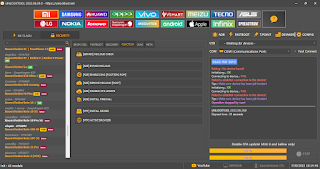
🖥 Setting up the PC environment for One UI 8.0
🔗 Connecting Samsung A17 to PC via USB
⚡ Executing the FRP reset process
🔓 Bypassing the “Verify Your Account” screen
🧰 Required Tools & Files (Download Links)
(Make sure to disable antivirus temporarily if required.)


Comments
Post a Comment